
Motivation
I've always been interested in building my own tools, and a graphics engine is a big goal of mine. I started this project as a way of learning more about the graphics pipeline, ways of architecting an graphics engine library thats usable and simple, and to learn more about data-oriented design. I picked to focus this project on data-oriented principles because I think my brain goes towards really abstracted, high-level object oriented practices, and I wanted to try doing things differently. I want to be able to use this engine myself in the future, but it is also a learning and test bed for my ideas as it stands. I don't think I'm there yet, and there is still some refactoring and new features to be added, but overall there has been progress!
What is Derezzed?
At its core, its a lightweight c++ opengl rendering framework that splits up core engine logic from app-level logic.
What it does:
- Manages window (and input, etc.) and opengl context with SDL3.
- Runs a render loop for updating logic and executing various render phases.
- Builds as a static library to be linked against by programs.
Architecture
Build System & Static Library
I used CMake for the build system. I went with cmake because it's the industry standard build system for c++ projects and allows for handling cross platform builds well.
In this project it defines two main types of targets:
- Derezzed static library.
- Demo apps that link against this.
Notice that I am building the engine as a static library. I went with this separation becuase it allows for engine code to remain uncoupled from any specific app logic, making the engine easily reusable and not dependent on app deps / logic.
You run the build scripts with an option defined in CMakePresets.json, with something like:
cmake --preset default # to do first time configure
cmake --build --preset default # build all
These build presets help make running build commands easier since all additional options are handled by the preset. In the future, I could add both debug and release presets that append different options automatically.
App System
The engine ships a public abstract class that describes an App that requires you to define:
init()or one-time initialization of the app.handle_event()for handling SDL events the app cares about.update()for any core looped logic the app wants to do.render()the looped render logic the app wants to do with theRenderer. Called afterupdate().
The engine calls these functions for you once constructed through the app, but it is up to the app's implementer to define what they do.
I went with this system so that app creation is easy enough to start with, but still allows for some flexability.
Engine
You can think of the engine as the core logic orchestrator that manages a renderer, input, window, and update loop. This takes some of the burden off of the Renderer and App classes so that they can manage only what they need to.
The engine calls the apps functions through an std::unique_ptr<App> that it owns. It's important to establish ownership between the engine and app models. I decided to have a single Engine own an App, and for the App to have a raw ptr back to its engine thats set by the engine itself. This model tightly-couples the app and engine, which could be unfavorable in some scenarios, but was more simple to implement and handles the single app-engine case I'm building for currently.
Rendering
Renderer
The Renderer is basically just a state machine / large class of functions and state that is used by the Engine to render what the App wants to draw. It contains the core graphics logic, API abstractions, and pipeline thats mostly hidden from the Engine and App.
It manages debug related stuff, frame stats, opengl context, and the two main features of this engine: indirect drawing and command batching.
Indirect Drawing
Typically draw calls are sent one at a time with glDrawElements. So for rendering thousands of objects in a scene, lots of individual draw calls need to be made. Each draw call has overhead since it needs to go from the CPU app -> GPU for each call.
To work around this, I used indirect draw calling. For a single frame, instead of issuing a draw call for each thing (vao that points to and describes the layout of vertex buffer + any shader bindings that need to happen), I instead load up a buffer of draw call commands using a IndirectRingBuffer class, and send them to the GPU with glMultiDrawElementsIndirect. It takes in some flags / option and a byte offset that represents a pointer to some spot in a gpu buffer (glNamedBufferStorage) we allocated earlier. IndirectRingBuffer allocates this gpu buffer once and then manages allocations and overflows. It's a ring / linear allocator, so you can't deallocate only pieces of the buffer. Good thing we don't really need that as we just fully deallocate when we want to make a new buffer each frame.
Command Batching
Even with indirect drawing cutting our draw calls by a lot, there are still some caveats. Imagine a draw buffer with many different shaders or textures. These require the GPU to change some state, which stalls the pipeline a bit.
I used command batching to help with this. Instead of building the indirect draw buffer in any order, we assign pipeline state ids to different state (shaders in my case). Then we sort the buffer by these ids, so that all of the things that need one shader get called one after the other.
To do this, I collect draw requests in a list of DrawPacket objects. These store:
PipelineStateIdas a type for unique ids representing "pipeline state" like shaders or other things that need some sort of GPU call to change.MeshHandleas a type for referencing a mesh in a pool somewhere.- Other byte offset info / flags used in the draw calls.
I then sort this list by the PipelineStateId so that all draws that use the same state are adjacent.
In the render loop, I then loop over the DrawPackets and issue a draw call and shader bindings when state changes. This results in minimum binds / draw calls we can get and is a common pattern from what I know.
API Abstractions
One of my goals was to separate lower level opengl API calls from high level app logic. Throughout this codebase, especially in the renderer, I try to abstract the opengl API and the "opengl-ness" of the functions and structure itself.
Shaders
The shader class is one example of this. It handles all of the bits of reading, compiling, linking GLSL and managing uniforms all for you. This makes the build and call site a lot easier to manage.
class Shader
{
public:
    Shader(const std::string& vertex_path, const std::string& fragment_path);
    ~Shader();

    // . . .

    // Uniform setters
    void set_uniform(const std::string& name, float value);
    void set_uniform(const std::string& name, const glm::vec2& value);
    // . . .

    // Get program handle for draw calls
    uint32_t handle() const
    {
        return m_program_id;
    }

    // . . .
};
This just helps to hide the very mechanical parts of opengl with glGetUniformLocation and glUniform.... I also adding uniform location caching, which is another benefit of writing your own wrappers for these things.
Meshes
OpenGL has its involved process of creating "meshes" with VBOs, VAOs, and EBOs, so to avoid having callers deal with that, I wrapped up mesh logic inside a MeshPool and MeshDesc classes.
struct MeshHandle
{
    uint32_t id = 0; // 0 is invalid
};

struct MeshDesc
{
    std::span<const float> positions; // 3 floats per vert
    std::span<const float> normals;   // 3 floats per vert
    std::span<const float> uvs;       // 2 floats per vert
    std::span<const uint32_t> indices;
};

struct MeshSlice
{
    uint32_t first_index;
    uint32_t index_count;
    uint32_t base_vertex;
};

class MeshPool
{
public:
// . . .
    MeshHandle upload(const MeshDesc& desc);
    MeshSlice slice(MeshHandle h) const; // get gpu offsets from a mesh through handle
// . . .
};
These handle all the opengl related things, and allows an app to just populate the pool with positions, normals, uvs, and indices.
OpenGL
I tried using modern opengl for this codebase. Some features I learned about and utilized were:
glNamedBufferStoragefor creating an immutable data store with flags that help with performance (GL_MAP_PERSISTENT_BITandGL_MAP_COHERENT_BIT).glMultiDrawElementsIndirectfor batched draw calls.
Data-Oriented Design (DOD)
What is DOD?
Data-oriented design is a paradigm focused on the storage and transformation of data through a pipeline. So here, we really care about cache locality and sequential access patterns, and less about object oriented hierarchies.
Where I Used It
MeshPool Storage Class
Instead of storing each mesh as its own object with its own buffer, all verts and indices live in their own large contiguous buffers.
glNamedBufferStorage(m_vertex_buffer_handle, max_vertices * sizeof(Vertex), nullptr, GL_DYNAMIC_STORAGE_BIT);
glNamedBufferStorage(m_index_buffer_handle, max_indices * sizeof(uint32_t), nullptr, GL_DYNAMIC_STORAGE_BIT);
Iterating over these should be pretty cache friendly by design since its just contiguous memory.
Command Batching
As I mentioned before, draw commands are stored in a flat array and sorted by pipeline state ids.
Adding a draw command looks like:
void Renderer::submit(SortKey key, const DrawPacket& packet)
{
    // append draw packet and sort key
    m_sort_keys.push_back(key);                                      // add draw's sort key
    m_draw_indices.push_back(static_cast<uint32_t>(m_draws.size())); // index is at end of current draws vector
    m_draws.push_back(packet);                                       // now add actual packet
    ++m_frame_stats.submits;
}
Indirect Ring Buffer
GPU command data is allocated in a single large buffer that wraps each frame so no dynamic memory allocation per-object is needed.
// IndirectRingBuffer.hpp

struct Allocation
    {
        void* ptr; // CPU writable
        uint32_t byte_offset;
    };
Allocation allocate(uint32_t bytes);
and
// IndirectRingBuffer.cpp

IndirectRingBuffer::Allocation IndirectRingBuffer::allocate(uint32_t bytes)
{
    assert(m_cur_frame_offset + bytes <= m_bytes_per_frame && "indirect ring overflow");
    uint32_t frame_base = m_cur_frame * m_bytes_per_frame;
    Allocation a {
        .ptr = m_mapped + frame_base + m_cur_frame_offset,
        .byte_offset = frame_base + m_cur_frame_offset,
    };
    m_cur_frame_offset += bytes;
    return a;
}
Demos
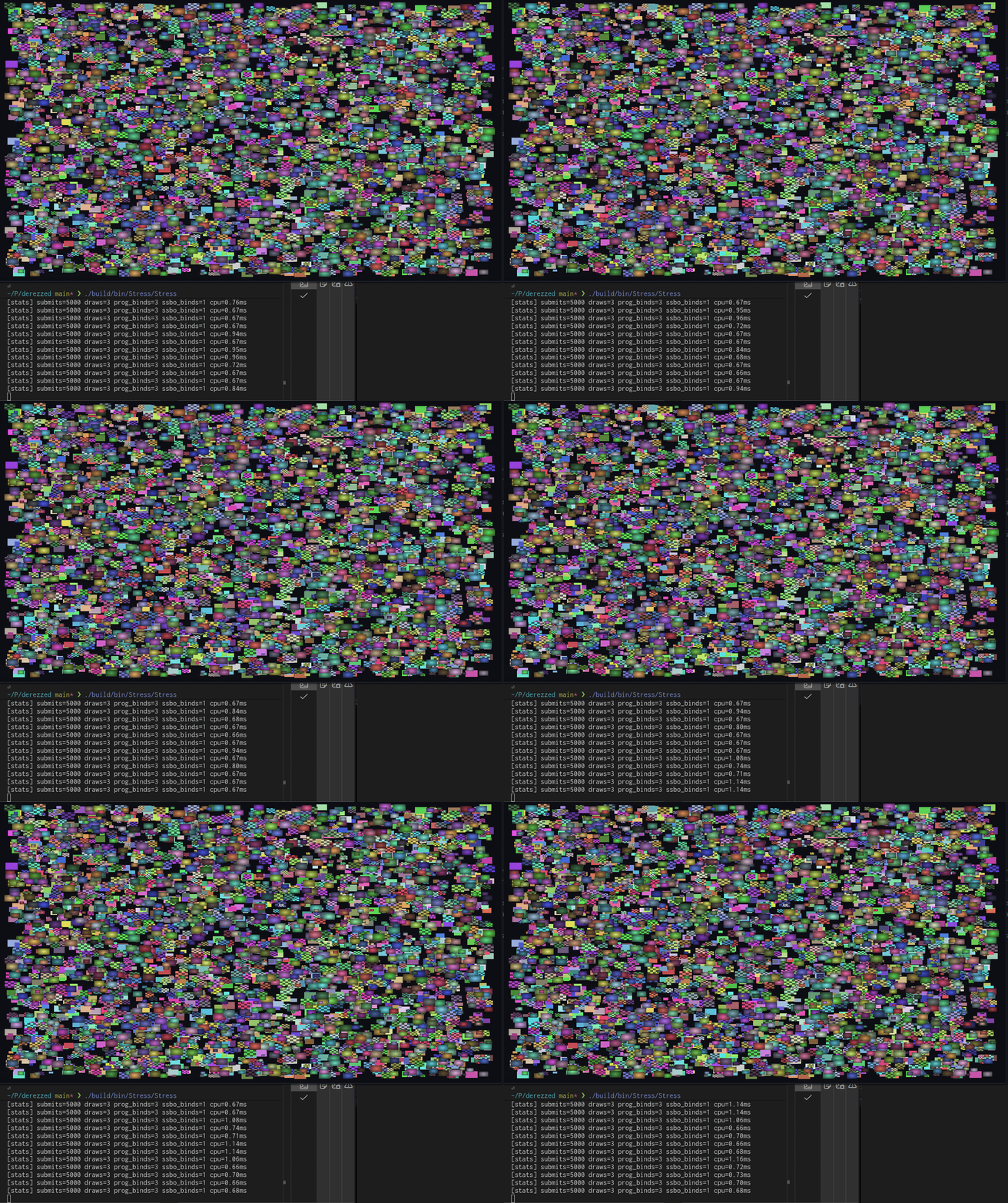
What is next?
- gltf asset loading
- texture support
- 3D, lighting, etc.
- editor gui